Author Archives: Christopher Roe

About Christopher Roe

The Artist Formerly Known As Mel Ebbles. I'm a programmer, 3D modeler, papercraft designer, gamer, and tinkerer. I live in the Republic of Texas with my wife Gin and 4 cats.

My cat

We’re taking my cat Bug to the vet tomorrow morning because she’s pretty ill. She had some sort of urinary tract infection that inexplicably went from “almost better” to “much worse” in just a few days, so we called around and found a vet that had an opening for tomorrow.

It’s an unexpected expense, but fortunately I was able to scrape together the $193 the vet wants for the visit, blood work, and miscellaneous stuff. However, any prescriptions or other medical procedures will be additional charges on top of that, and I’m a bit worried about being able to cover those additional costs. If you know anyone who might be interested in supporting the spaceport set or picking up one of the shuttle variations, I’d be grateful if you could spread the word.

12 years ago, when she was a kitten, she decided she wanted me to be her best friend and she turned me into a cat person. This is hitting me pretty hard, and I’m not dealing with it very well emotionally. Posting about it helps a little.

I hope she’ll be okay.

Update: She didn’t make it. She passed away around 7:20PM CST. I was on the sofa with her when it happened. Thank you, everyone who helped out and sent us messages of support.
Photoshop exercise

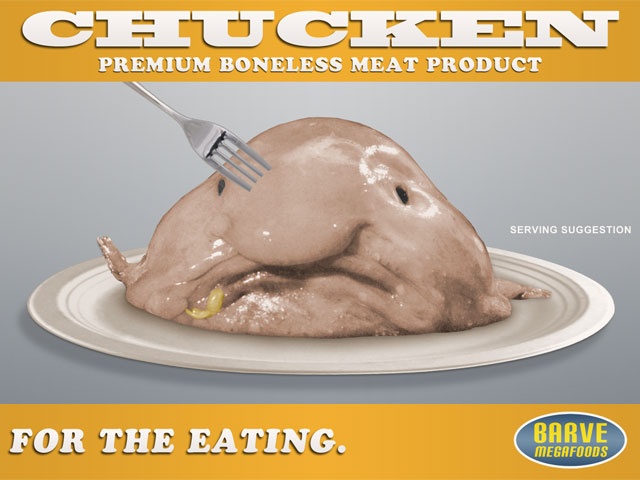
I frequently do little Photoshop exercises just to warm up, especially when I’m suffering from texturing block, and most of them end up in the recycle bin after they’ve served their purpose. I thought I’d post this morning’s exercise for the fun of it.

2 reasons: it’s one of the goofiest exercises I’ve done, and because some of the cardboard boxes in the storeroom props set from 2007 have Barve Megafoods markings. And just to segue from there into the realm of backstory, I frequently work with basic backstory outlines in my head while designing models, and these boxes weren’t an exception. It all kind of comes at me fast, and it’s not like I sit around for hours trying to come up with this stuff–it literally just kind of pops into my head, and most of the time I’m pretty good about filtering that stuff so customers don’t start wondering if there’s something wrong with my head. 😆

In this case, I think my brain was trying to come up with as many vomit based puns as possible when I was texturing those Ambient Elements cardboard boxes in 2007. Barve Megafoods used to be Chunderson-Barve, which was the merger of Chunderson Foods and Barve Products, 2 competing companies owned by Ralph Chunderson and Chuck Barve. Now, Chuck is kind of an oddball character–his big dream was to engineer a boneless fish/chicken/pork substitute that could be aquafarmed, and it wasn’t until well after his death that his descendant Charles Emesis Barve IV finally nailed it and named the resulting abomination “Chucken” in honor of the family patriarch. Fast forward to 2012–I came across this hilarious photo of some sort of disgusting looking fish when collecting texturing references, and I immediately thought back to the Chucken backstory and decided that was going to be the subject of this morning’s Photoshop exercise.

Digital clay!

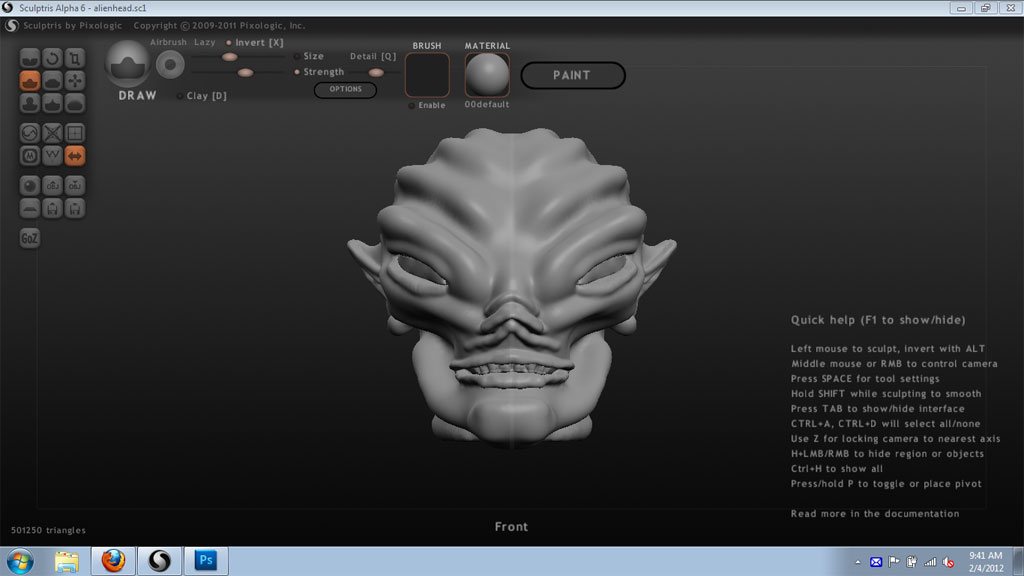
I found another fun new toy, Sculptris. I was looking for something simple to use for occasional character modeling, and weird organics are a lot easier to block out if you’re using a “sculpting with clay” sort of paradigm.

I ended up with this silly little alien head in about half an hour of semi-randomly messing around:

The toolset is pretty intuitive. I didn’t need to consult any documentation to get that far because the tool names and the way they work are pretty clear if you have any background in messing around with clay. Pinch, push, pull, smooth, crease. I like that.

At some point, I want to delve further into this program and try something a bit more ambitious than Mr. Lumpyhead up there. The thought of eventually being able to whip up whatever organic figure I wanted and send it off to be printed is kinda fun–I’d never have to bemoan the unavailability of some specific figure I wish I had again.

Now, if I had a time dilation machine, I could get in all the practice I wanted without impacting anything else like work, sleep, or social contact.

Quick health update

Payday arrived, and I was able to visit a walk-in clinic yesterday morning. Turns out a large part of the severity of my symptoms over the past few weeks was due to a case of bronchitis that followed on from the cold, so it wasn’t the sudden worsening of my allergy-induced asthma that I feared it was. I’ve been prescribed antibiotics and a new bronchodilator, and should be my old self again soon.

SketchUp

Every year, I go through a review of my software suite and processes to see if there’s anything I can do to improve or streamline things further. There wasn’t much this year in the way of new software to choose from (I’d already upgraded to Photoshop CS5 back in 2011), but I was intrigued by the fact that there were now 3 unfolding plugins for Google SketchUp, 2 of which are specifically oriented towards papercraft development. I thought I’d give the thing a try just to see if it was worth doing.

The first candidate was Waybe, which is a commercial plugin. It looked like a fairly decent start, but I nearly fell out of my chair laughing when I saw their commercial license pricing. It costs $200 per year for commercial use and only has a subset of the functionality that you get with something like Ultimate Papercraft 3D, which only costs $39.95. That put Waybe out of the running before the race even began.

Our next contender is Flattery, which is a simpler plugin. It’s free, but the author accepts donations, which is good because money’s a nice incentive to keep working on something. It does what it says on the tin, but it’s a long way from being in the same league as Ultimate Papercraft 3D or Pepakura Designer. It’s still got potential, though.

In the end, I decided that SketchUp still doesn’t cut the mustard as a papercraft development tool. I mean, you can use it for that, but it’s not quite something I’d consider suitable for a production environment.

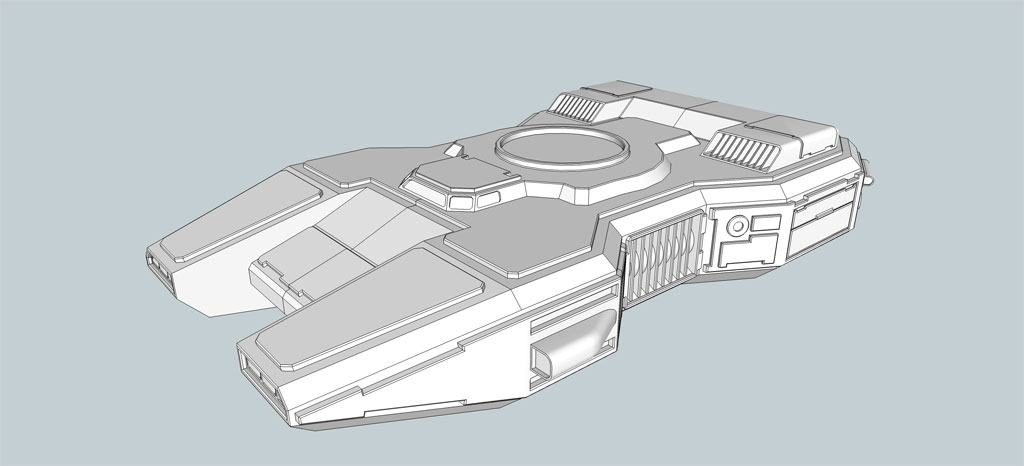
However…I did fall in love with it for another purpose entirely. It has a rather unconventional toolset that, once you get the hang of it, makes detailing and greebling models surprisingly easy. This is my second SketchUp model, some sort of half-assed floaty tank thing that’s really just meant to be a canvas for figuring out the best ways to greeble stuff:

Greeblewagen!

It’s kind of nuts–I never had it this easy back in the 1990s when I was doing photorealistic 3D modeling. That thing above only took me a few hours of goofing around in SketchUp to do, and would easily have required significantly more time in my other more conventional 3D modeling applications. I’m going to see if this thing can actually export nice, clean, and watertight solids that can be used for 3D printing. If it can do that, that’d be awesome.