Category Archives: Workbench

Finalizing the Interceptor

Getting it ready for final review. I took some time to put together a few images for you guys.

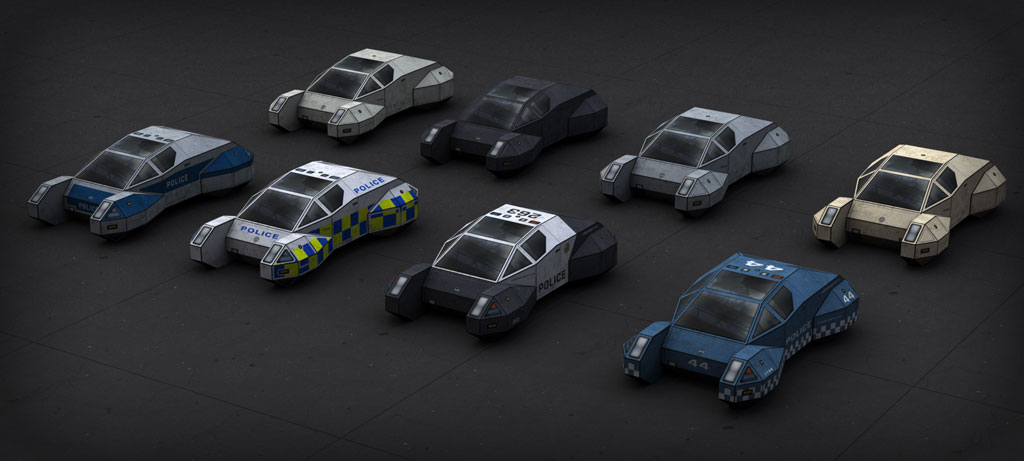
Group shot showing the 4 different police versions and the 4 unmarked colors:

Things of note: there are 8 different unit numbers for the classic and sci-fi blue versions, which each have their own PDF. The European PDF includes the UK version plus 5 versions of the blue-over-silver with police markings in different languages.

The third PDF includes the 4 unmarked schemes. I included a dingy white and a hideous beige for unmarked/retired police vehicles, while the silver is an unmarked detective car, and the black is supposed to be useful for FBI and government types. The unmarked versions don’t have the same set of lighting hardware as the marked versions–the areas where the light set is normally installed have been covered up with plug-in panels, and a wigwag headlight/running light setup is used instead. The fleet shop can convert Interceptors from one version to another by popping off the plug-in panels and installing the necessary hardware or vice versa. They don’t fool anyone any more than an unmarked Crown Victoria does, either.

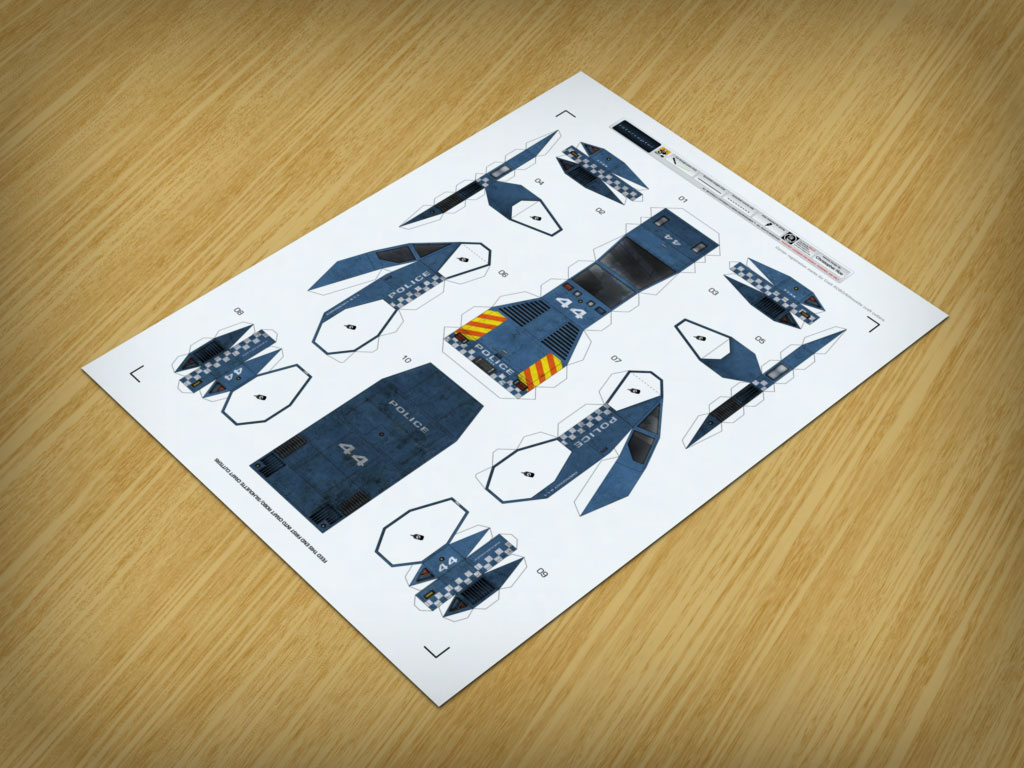
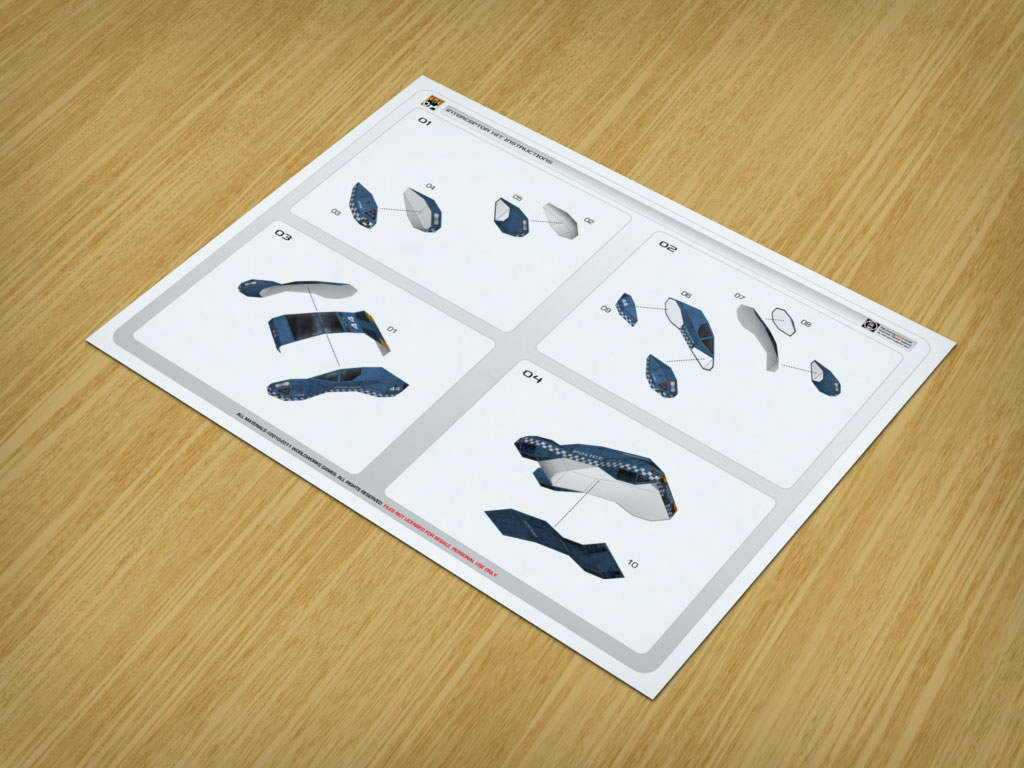
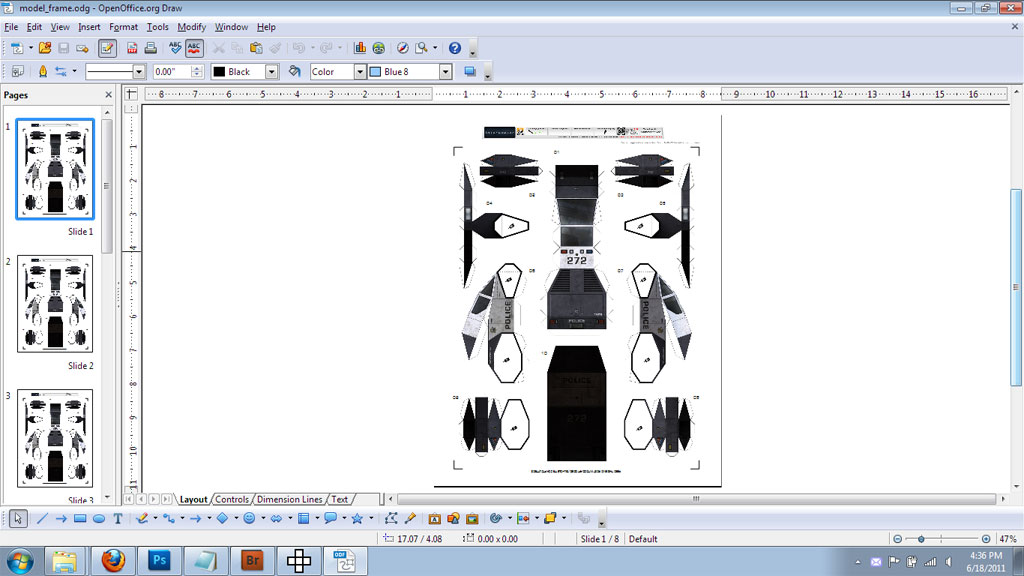
Here are some shots of the model frame and instructions:

I’m pleased that it stayed within the 1 page/10 parts budget–I was a little worried because of the unusual geometry.

I still have to do a couple more things, but it’ll be ready to zip up and turn in for final review at WWG before I go to bed.

Art and programming, part II

I figured out how to abuse the data-driven graphics feature of Photoshop CS5 even further so I could use it to spool out cars with unique shop numbers and roof numbers. This time, more pictures and less boring text.

First, I set up the texture PSD file of the classic Interceptor scheme as a template. This involves just creating variables and assigning them to layers.

The next thing I did was set up a comma delimited text file to use as the data set source, in good old Notepad:

Yes, that’s it. Just a list of values.

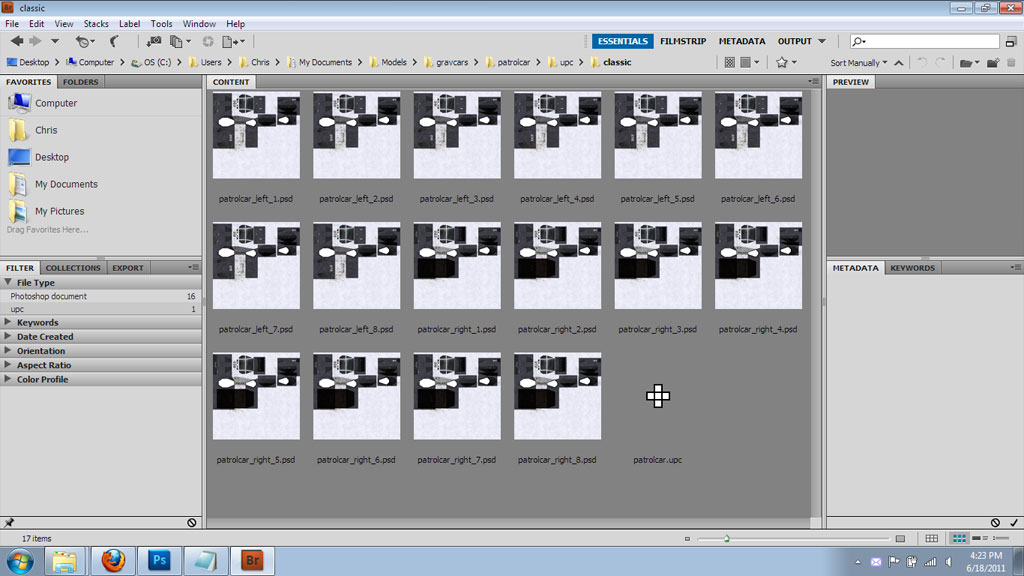
Once both of those things are set up, a few button clicks in Photoshop will change the text layer strings and save each change out as a separate file:

A bit of duplicating and re-merging in Ultimate Papercraft 3D gives me an 8-up layout, and all of the materials have been reassigned to the new texture variants:

I also spent a few minutes tweaking a copy of the OpenOffice layout template to work with the 8-up version:

Okay, all of that is just a one-time setup thing. I literally only have to do that once. From this point on, I can simply copy the Ultimate Papercraft 3D and OpenOffice 8-up templates to another folder, and after assigning variables to any other scheme, I can painlessly export a different 8-up without tediously editing a lot of layers and saving things out by hand.

The only real limit on how many variations I can include in a single PDF is completely dependent on the amount of video RAM and system RAM on my machine, and the amount of work needed to set up the unique variations is much less than it used to be when I had to do them all individually by hand. Nice. I definitely could get used to this feature.Note: Don’t worry about how odd the texturing looks. The model is currently wearing a baked global illumination lightmap, which is the source of all the shading, and that lightmap is only used to make the Metasequoia work-in-progress screenshots look a bit nicer. I usually crank the lightmap opacity almost all the way down when exporting paper models for real, so the PDF won’t be anywhere nearly that harshly shaded.

When art and programming collide

You know what I do on my days off? I work some more. Okay, no, not literally, but I do kind of tend to play around with work-related stuff.

I just discovered something awesome about Photoshop CS5 a couple hours ago when snuffling around in the help files like a truffle pig: data driven graphics. At first, I was a bit puzzled because that really doesn’t sound like a very artsy kind of thing, but it piqued my inner programmer’s curiosity. Turns out that you can basically turn a PSD file into a template, load variables from a text file, and use those variables to do things like change text layers, replace pixels, and hide/show layers.

Of course, I had to give it a try, and after some brief thought, I hit upon the idea of using this functionality to rapidly generate a large number of unique license plates for the Brio, Interceptor, and other vehicles. So, I saved out copies of the Interceptor textures, then cropped them down to just the license plate frames, deleted all superfluous layers, and turned them into license plate templates.

I set them up so I could change the country code and plate text layers on the UK and European plates, and the North American test plates had 4 configurable layers (month of registration, last 2 digits of registration year, serial, and locality). No real reason, I just wanted to see if I could do it.

With the artistic half completed, it was time for the programming bit. I didn’t want to waste my time manually entering license plate data over and over when I could just randomly generate a large amount of data and dump it to a text file that could be loaded in Photoshop. So, I whipped up a rough PHP script and fired up my local install of EasyPHP.

License plates tend to follow a pretty specific format, so it’s not like you can just generate random strings and be done with it. I wrote the script to take a formatting template as input, so I could specify a formatting template like “111-aaa” (3 random numbers, hyphen, 3 random letters), “AA11 AAAA” (2 random alphanumeric characters, 2 random numbers, space, 4 random alphanumeric characters), and so forth. That was fun to do.

I realized shortly after a few rounds of testing that I could literally do any license plate in the world in mass quantities with relatively little work, and it would pretty much only require a different template and formatting string. So, pretty soon, I’m going to be setting up my very own Department of Motor Vehicles next door to Uppity Robots and Ebbles Variations, where you guys can download sheets of unique stick-on license plates for that little bit of extra flavor.

Speaking of which, just for grits and shiggles: here’s a sheet of 570 (yes, that’s not a typo) unique North American-style license plates that I did as a test: licenseplates_test.zip

That’s just a few minutes of hands-on work! All I did was press a few keys, click a few buttons and all of the grunt work was done by Photoshop, Bridge, and OpenOffice.

I’m gonna be modifying the script a bit to randomize the registration date and locality variables for that little extra touch of uniqueness, and also refactoring the data set generation script so I can quickly modify new copies of it to generate plates for a specific country.

Yeah, this is all a bit silly, but it was fun to do, and I don’t often get to exercise both of my core skills at the same time like this.

UPDATE: Here it is! Department of Motor Vehicles

Yet more work on the Interceptor

Update time!

After some discussion with other WWG designers, the classic scheme got a few minor changes and the addition of a police shield behind the door for a splash of color:
It’s just a small, indistinct, and generic 7 pointed star with the suggestion of a city seal in the middle, but it adds quite a bit to the overall effect.
The UK version of the Interceptor has had additional work done to it as well. I changed the base color from silver to white, and split up the retroreflective decaling at panel lines and around openings so that it would look more like decals applied to a stock paint finish rather than paint.
The reason for changing the base color back from silver to white was to further differentiate it from the European scheme, which I based upon the blue-over-silver police vehicles in Germany, Poland, and elsewhere:
Also, I threw in a couple of little extra touches. The UK and European versions have a different license plate setup from the blue and classic versions. I even used the correct fonts and stuck with a familiar appearance for the plate backgrounds.
(Ignore the ABC123-ish plate numbers, those are just placeholders for effect.)
Yeah, I know, they’re flying cars, they probably should have barcodes or some other spacey looking crap on the back, but I like to ground crazy stuff like flying cars in reality, at least a little bit, by adding some familiar and contemporary touches. It’s an extension of my belief that if you want people to recognize some sort of fancy SF contraption as a coffeepot equivalent, it should look a bit like a coffeepot so people get the point straightaway instead of having to waste time with boring and unnatural exposition from characters.
Besides, I don’t think number plates are going to go out of style because the old “Did anybody get the plate of the truck that hit me?” thing doesn’t really work if pedestrians have to chase after vehicles on foot with barcode scanners or some silly shit like that. I figure the cars have ID transponders in them that police cars and flight control systems can interrogate, and the plates are just a visual convenience or fallback measure. Sometimes the simplest things work best, and that’s why they stick around even though you can replace them with something that would make Rube Goldberg golf clap.

More work on the Interceptor

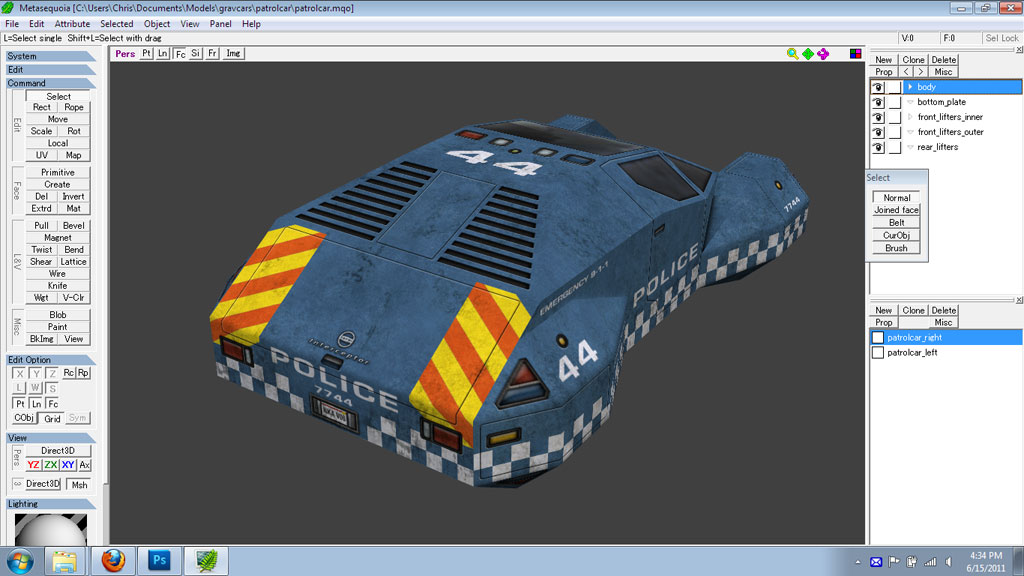
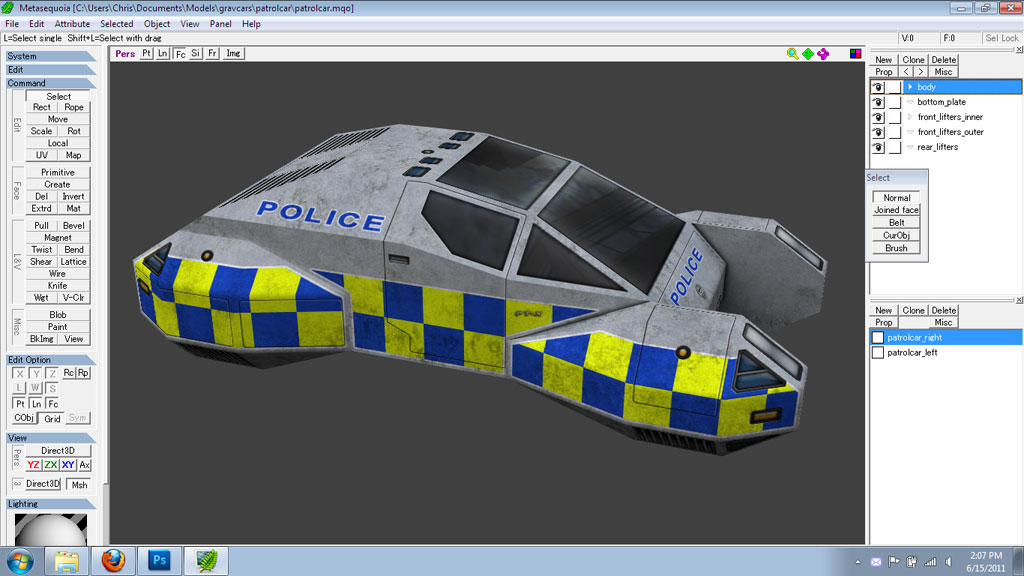
I got some more work done on the police Interceptor. Additional detailing and a start on some other variant color schemes. (Click on the images to see full size versions.)

Default blue/white color scheme:

Classic black/white police scheme, still a work in progress:

UK version with retroreflective Battenburg livery over silver base coat:

I’m also in the early stages of scratching out an European scheme, which will be blue over silver.